SwiftUI Button between macOS and iOS
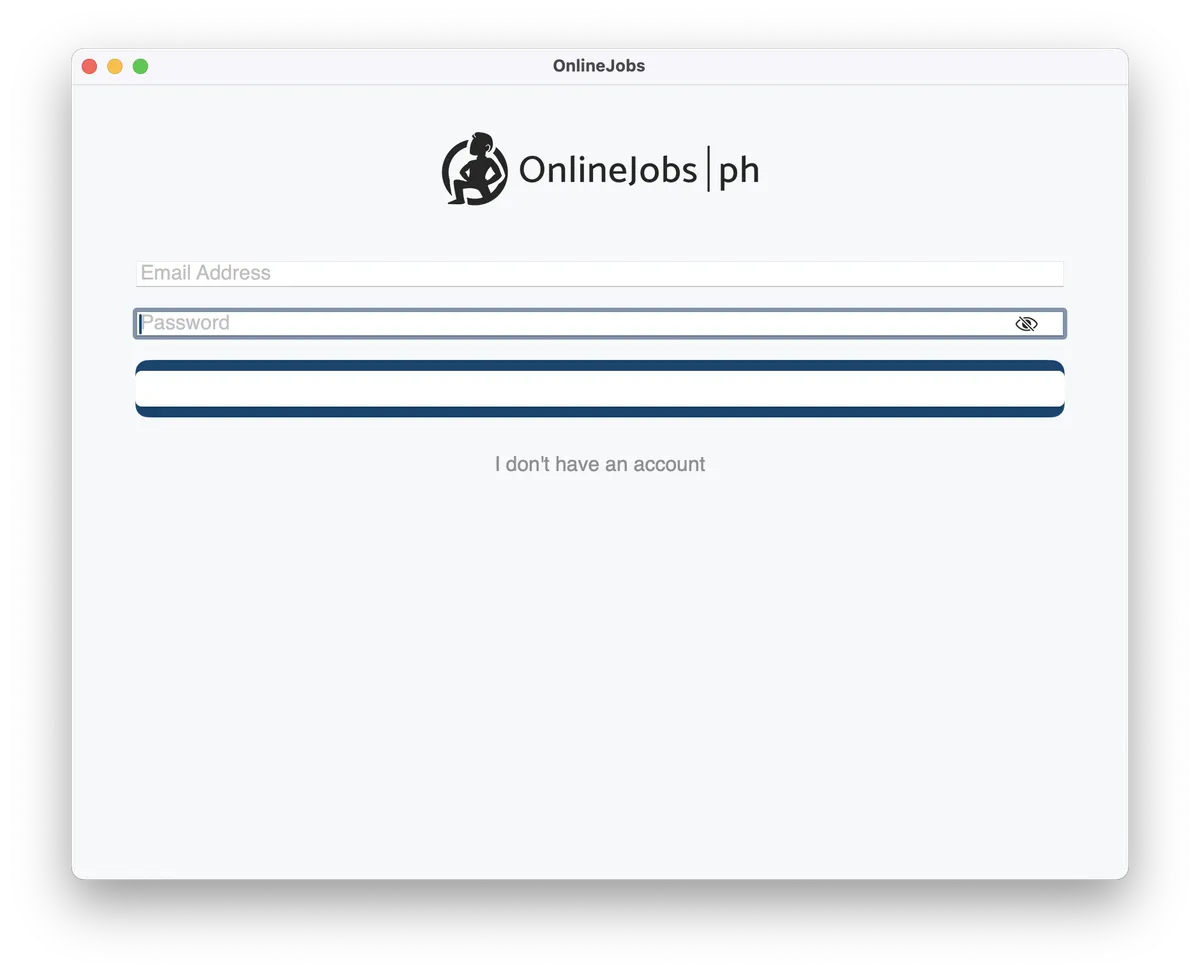
In our codebase, our implementation looks like this Unfortunately, it looks different on macOS.
In our codebase, our Button implementation looks like this
Button { Task { await signIn() }} label: { if authObservable.isSigningIn { ProgressView() .background(Color(.clear)) .frame(maxWidth: .infinity, maxHeight: 45) .tint(Color(.white)) } else { Text("Sign In") .font(OnlineJobsFont.regularFont) .foregroundStyle(Color(.white)) .frame(maxWidth: .infinity, maxHeight: 45) .padding([.top, .bottom], 5) .dynamicTypeSize(.small) }}.frame(height: 45).background(Color(.buttonAccent)).contentShape(Rectangle()).clipShape(RoundedRectangle(cornerRadius: 10)).padding([.bottom, .top], 10)Unfortunately, it looks different on macOS.
While, on iOS it looks fine.
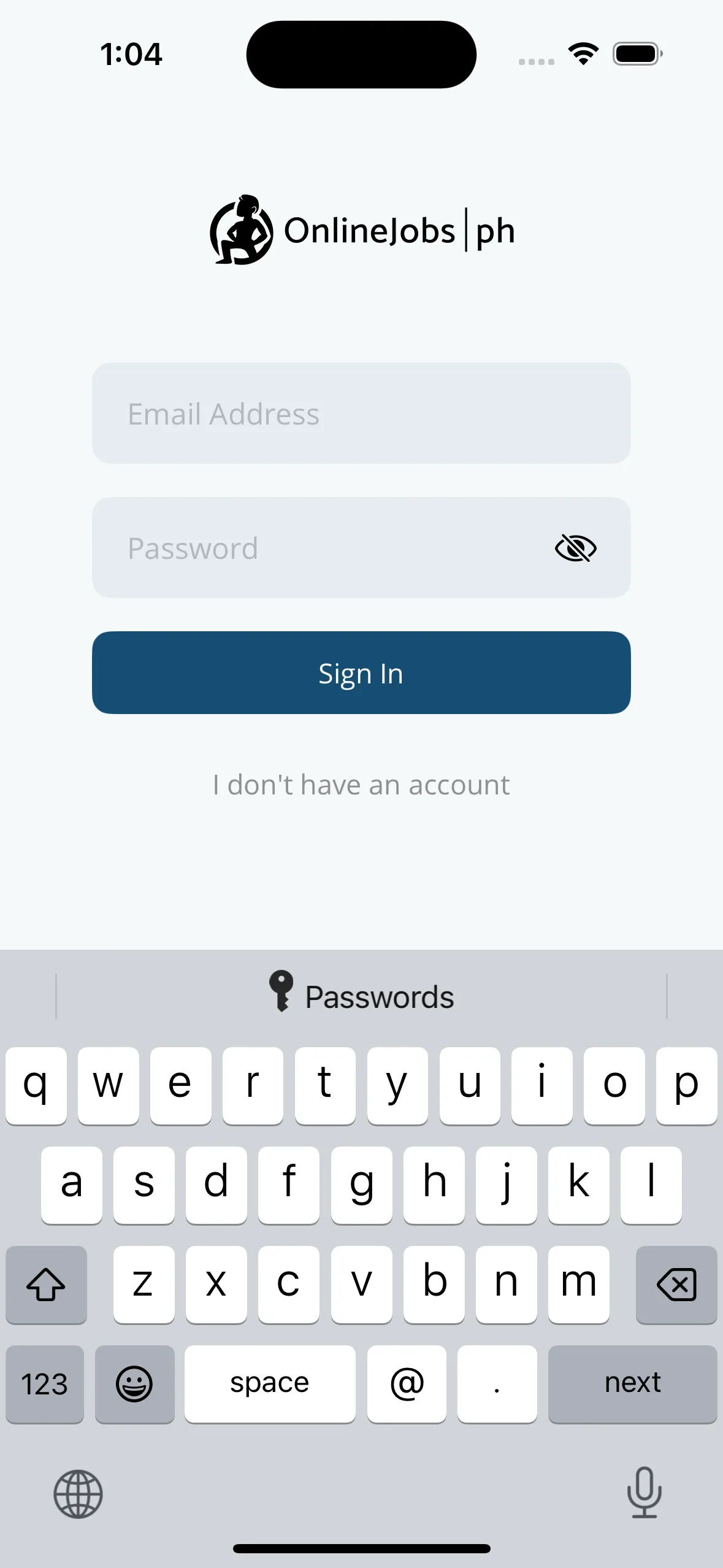
So, I’m wondering where is the disconnect between the two operating systems. And, what modifiers should I change for macOS.
After, some trial and error. It seems SwiftUI’s Button on macOS won’t work perfectly with modifiers foregroundStyle and .background.
#if os(iOS).foregroundStyle(Color(.white))#endif#if os(iOS).background(Color(.buttonAccent))#endif